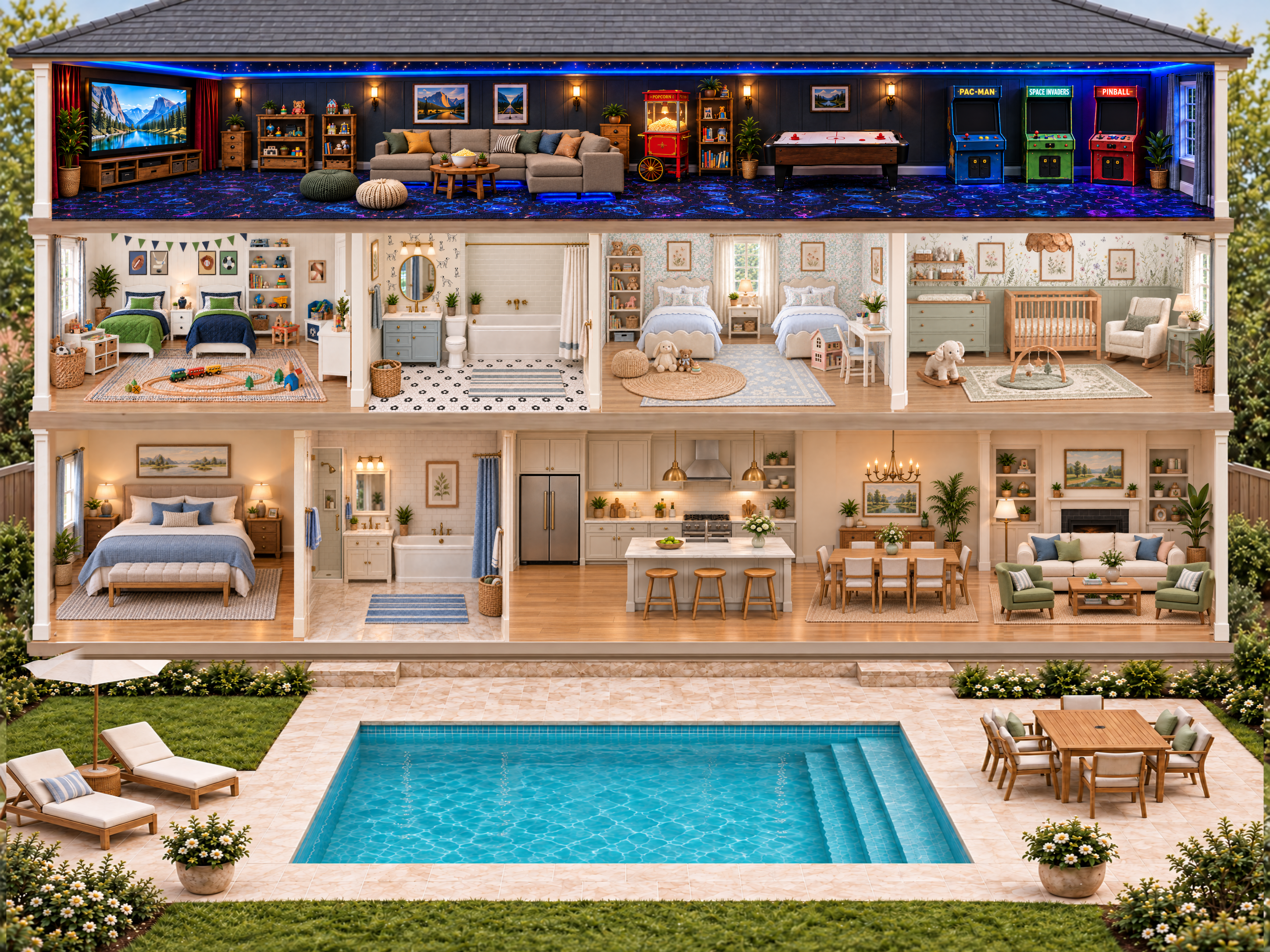
Tap a room to look closer. Choose People to invite dolls, Clothes to dress them, or Pets to add a companion. Open Toy Box for food, toiletries, toys and decorations.
Look around: tap the small house beside the zoom controls to recenter. Choose Neighborhood to return to Laurel Brooks Estates, then tap a house to enter. Drag the scenery or fixed furniture in any direction to move between rooms and floors. On the street, drag to look around and stop anywhere. Scroll to zoom, or use the + and − controls. Scroll sideways or hold Shift while scrolling to pan. On a touch screen, drag in any direction and pinch with two fingers to zoom.
Move things: drag the doll or object itself. Dolls and toys can go outside onto the gardens and streets on both sides. Zoom out to see the surrounding gardens and streets. Tapping other things never moves it. Double-click a doll with a mouse, or double-tap it on a touch screen, to open its controls. Choose Stand, Sit or Lie down, or change its outfit. Dragging usually keeps the pose you chose. Choose Sit or Lie down yourself. On the media-room couch, dolls stay exactly where you drop them. Other matching furniture can support the pose. In the upstairs bathroom, open the doll’s controls and choose Get in tub. Choose Get out of tub or drag them out to return to the floor.
Pool floats: Tap a float and choose a nearby doll to seat inside. You can also open a doll’s controls and choose Sit in a float, or drop an already seated doll into the opening. Drag the float to carry its rider. Choose Get off float or drag the doll out to leave. The pool lounger supports Sit and Lie down.
Nursery: Drop a baby into the crib, then double-click or double-tap them to choose Stand, Sit or Lie down while staying inside. Drop a baby onto the changing pad to lie them down automatically. Tap the changing station or double-tap the baby and choose Change diaper.
Sound: open Sounds to adjust birds, flowing water, rain and distant thunder separately from the Miller home’s indoor objects. Rain and thunder follow rainy weather. Every sound has its own switch and volume; Mute all sounds gives you quiet play.
Movie night: tap the TV to play or stop the toy movie and dim only the theater. The moon control changes the whole house. Tap the popcorn cart to pop a fresh bowl. Tap the air-hockey table or any arcade cabinet to start or stop its game.
Try it: tap the oven or bathtub. The children’s bedding stays as designed; pose dolls yourself with Stand, Sit or Lie down. Draw a picture, open a present, blow out candles, or fill the keepsake box with little things.
Keyboard: Tab to a toy; Enter opens actions. Arrow keys move it. Escape closes controls.
This early preview saves in this browser on this website. Help & contact · Privacy · Welcome